AI Alt‑Text—When to Trust, When to Edit
Learn when to trust AI-generated alt text and when manual editing is essential to ensure web accessibility. Discover best practices for inclusive design and ADA compliance.
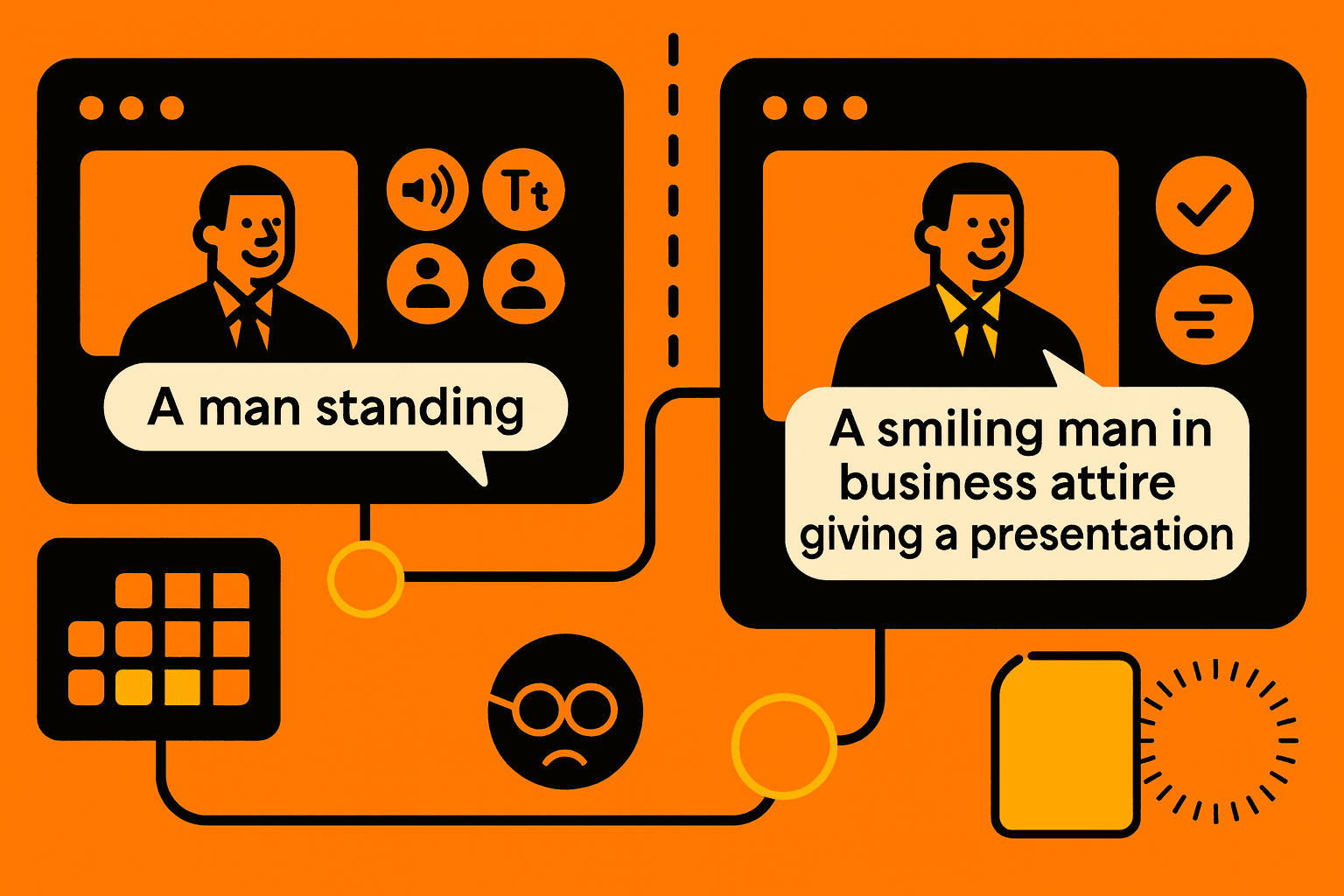
AI Alt-Text: When to Trust, When to Edit
The rise of AI tools has changed the way we create alt text for images. Alt text is a part of web accessibility. AI tools can write alt text fast. If we trust AI tools to produce alt text without checking it, we risk breaking ADA compliance. We risk hurting the user experience. I have learned that knowing when to trust AI tools and when to edit alt text by hand makes web design accessible.
What is AI-generated alt text? What role does AI-generated alt text have in accessibility?
I have tried AI-generated alt text.
AI-generated alt text uses machine learning to describe images.
AI-generated alt text makes the content easier to access.
AI-generated alt text helps design by giving descriptions for the visual content.
AI-generated alt text can miss the details that full accessibility needs.
AI can help meet the minimum standards.
Manual editing makes sure the alt text follows the WCAG guidelines and gives the text a description.
Benefits of AI Alt-Text
Speeds up the creation of image descriptions
Helps meet basic ADA compliance requirements
Useful for large sites with many images
Integrates with many accessibility testing tools
Limitations of AI Alt-Text
Can produce generic or inaccurate descriptions
Fails with complex or abstract images
May miss important contextual details needed for users
Lacks empathy and cultural understanding from empathy mapping in UX
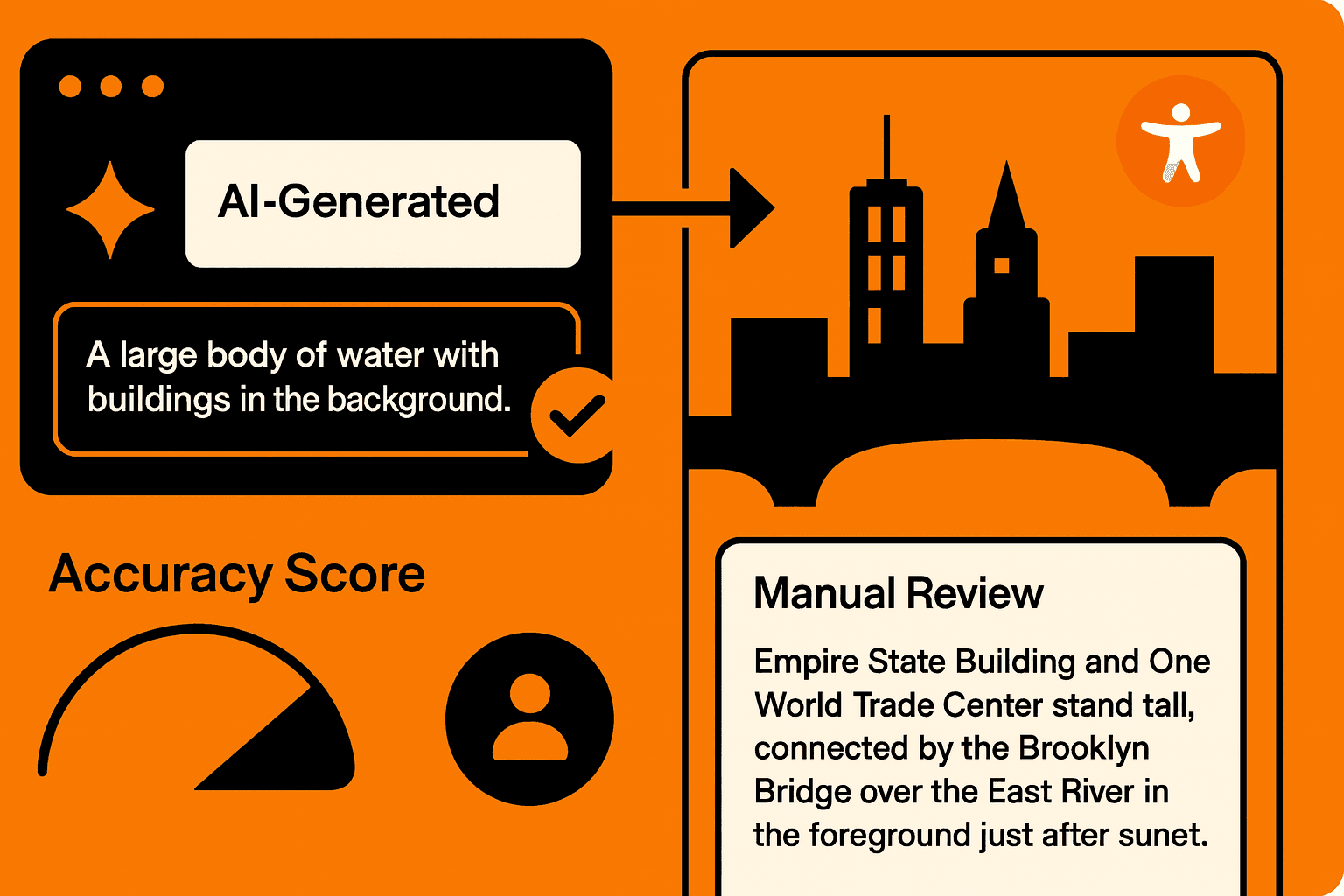
Best Practices for Editing AI-Generated Alt Text
To ensure web accessibility, manual review of AI alt text is essential. Follow these tips:
Verify accuracy against image content
Add context or relevant details AI might miss
Use clear, concise language following semantic HTML principles
Ensure alt text supports screen readers with proper ARIA labels
Use a color contrast checker to ensure text visibility if alt text is shown visually
Tools to Support Alt Text Editing
Several tools help refine alt text, including:
Accessibility audit platforms with AI alt-text flags
Color contrast checkers to ensure readability
Browser extensions for on-the-fly edits
CMS plugins that combine AI generation and human editing workflows
The Future of AI and Accessibility
AI will continue to improve in generating more context-aware alt text, reducing the editing workload. However, human insight remains critical for truly inclusive content. I see that balancing AI speed with edits helps organizations meet the changing WCAG guidelines. I see that balancing AI speed with edits also helps organizations keep the standards of accessible web design. The result is a web experience.
Conclusion
AI-generated alt text helps make the web more accessible. If you trust AI-generated alt text without checking, you can face ADA compliance problems and a bad user experience. Manual editing adds nuance. Improves the accuracy of AI-generated alt text. Adopting combined workflows ensures alt text meets WCAG guidelines and supports all users effectively.